A Notes.ini Auditor That Runs in Your Browser
Every HCL Domino administrator ends up reading `notes.ini` at some point — during a security review, when onboarding a new server, or simply when something does not behave as expected.
The file tells you a lot. How the server was configured, what was enabled and never revisited, what debug flags survived a support session, what security parameters have not been touched since installation. Reading it carefully, parameter by parameter, takes time. And things still slip through.
So I built a small tool to help with that.
What It Does
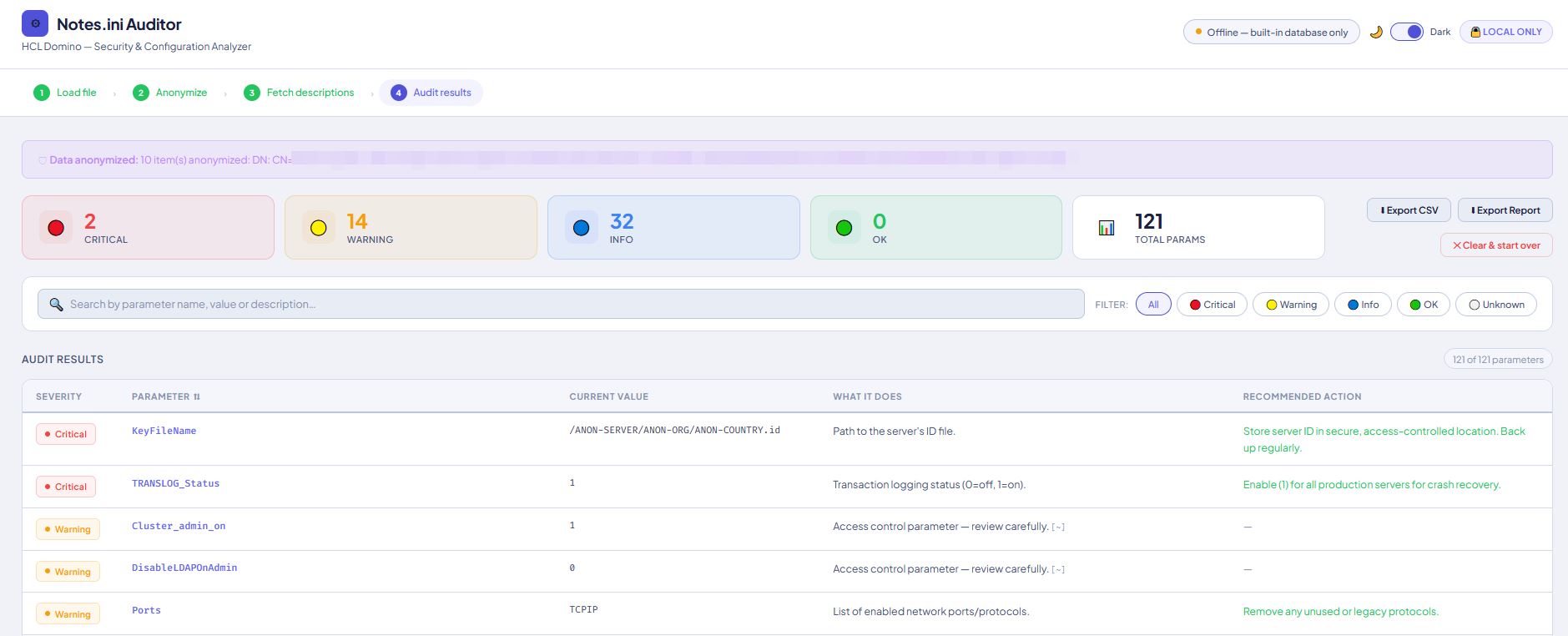
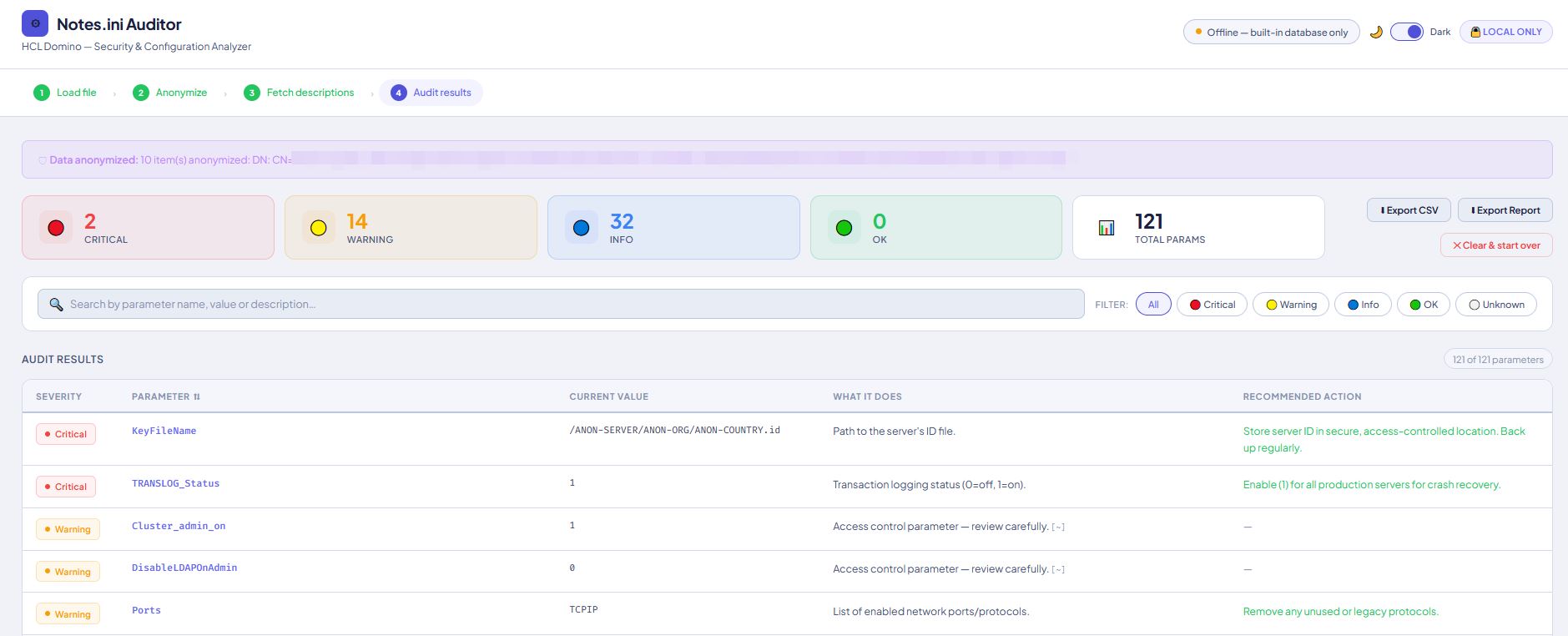
**Notes.ini Auditor** is a single HTML file. No installation, no server, no account required. You open it in a browser, drop your `notes.ini` on it, and get an audit table — every parameter classified by severity, with a short description and a recommended action.
Four severity levels:
- 🔴 **Critical** — active security risks or dangerous misconfigurations
- 🟡 **Warning** — worth reviewing; not necessarily broken, but worth attention
- 🔵 **Info** — documentation for what the parameter does
- 🟢 **OK** — correctly set
You can filter by severity, search by name or description, sort the table, and export to CSV or a self-contained HTML report.
Privacy
`notes.ini` files contain sensitive data: server names, domain names, IP addresses, infrastructure paths. The tool processes everything locally — your file never leaves the browser tab. There is no backend.
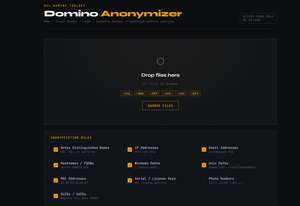
Before analysis, the tool anonymizes the content automatically: distinguished names, IP addresses, email addresses, Windows usernames, and hostnames are replaced with generic placeholders. The original file is never modified.
The Knowledge Base
The audit engine works in two layers.
The first is a built-in database of the most security-relevant `notes.ini` parameters — `TLSMinVersion`, `SSL_ECDHE`, `SSLCipherSpec`, `Allow_Access`, `Server_Restricted`, `FullAccess_Administrators`, and others. Each entry carries a severity level, a plain-language description, and a concrete recommendation.
The second layer is a live connection to [admincamp.de](https://admincamp.de/notesini/name?openview), the community reference for Notes.ini parameters. If the connection is available, the knowledge base expands. If not — offline, air-gapped — the built-in set covers what matters most.
For parameters not found in either source, a heuristic classifier handles keys containing patterns like `debug`, `password`, `ssl`, `admin`, `log`, and similar.
Why a Single HTML File
I tend to build Domino tools this way: one file, no dependencies, no build process.
You can send it to a client, drop it on a file share, attach it to a Domino database. It works on any OS, in any modern browser, now and in three years. Nothing to update, nothing to maintain.
Under the Hood
For those curious about the implementation:
- Vanilla JavaScript, no frameworks
- CSS custom properties throughout, with a light/dark mode toggle that persists across sessions
- Parameter parsing via `FileReader`, admincamp.de parsing via `DOMParser`
- Anonymization pipeline runs before any analysis touches the data
- Export to CSV and standalone HTML report, generated client-side
Who It Is For
Domino administrators doing security reviews, server onboardings, or audit preparation. It does not replace expertise — it just reduces the time spent on the mechanical part of reading a large configuration file and cross-referencing what each key should look like.
If Domino is in scope for a compliance audit, the Critical and Warning filters give a reasonable starting point.
Get It
Single `.html` file, no strings attached.

Contact : dperarnaud [@] data101.es