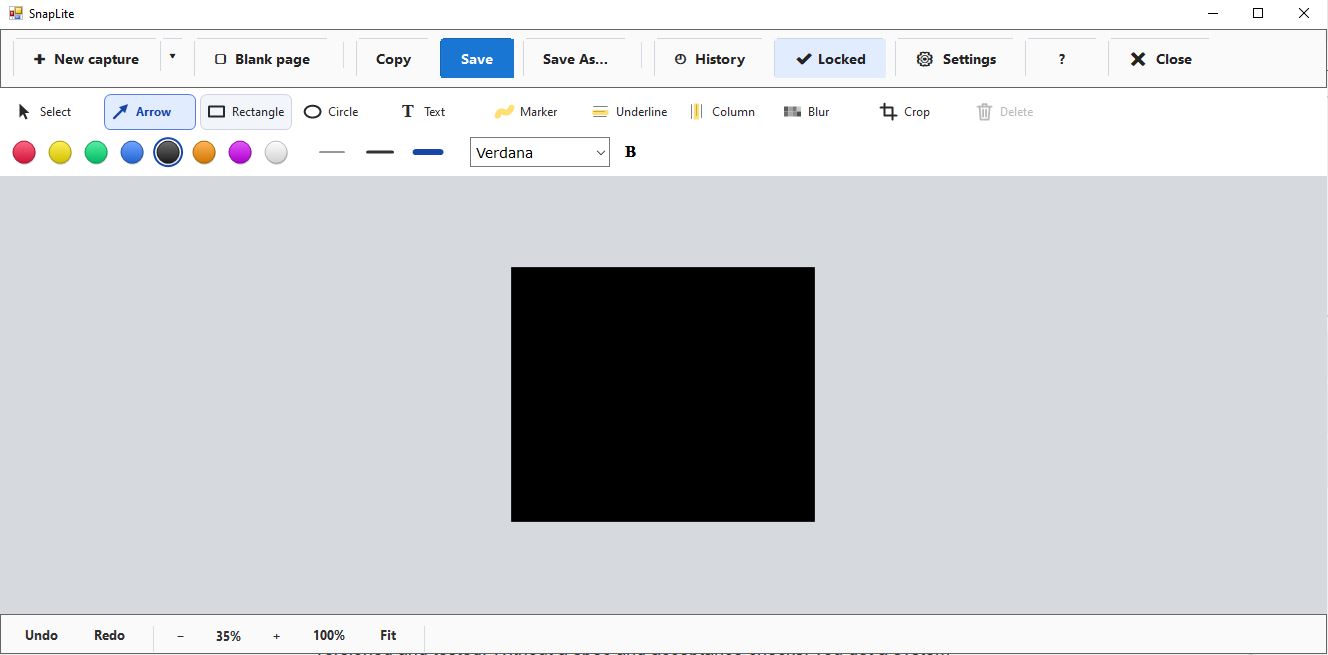
My experiments with AI #23: building my own screenshot tool, without writing the code
It started with a simple question I asked an AI assistant: does the Windows screenshot tool send my data to Microsoft?
The answer was more nuanced than I expected. The Snipping Tool doesn't upload your screenshots by default. But more and more features around it lean on the cloud: OneDrive backing up your Screenshots folder, "Ask Copilot" and visual search buttons, clipboard sync, diagnostic data. None of that is scandalous. But every day I capture client consoles, server configurations, emails and settings. I wanted a tool where the answer to "where does my screenshot go?" is simply: nowhere.
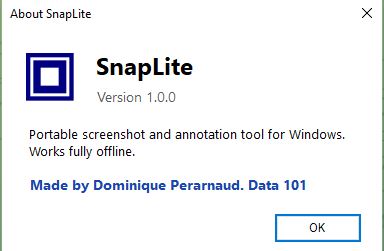
So I decided to build my own. And to use it as an experiment: how far can I get with AI as my development team?
Step 1: the AI as product partner, not as coder
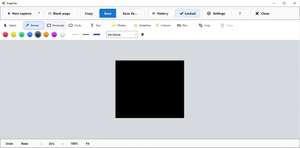
I didn't start with code. I started with a conversation, with Claude in Cowork mode, adding features one at a time the way you'd brief a developer:
- capture a region or the full screen, launched instantly;
- arrows, shapes, text and markers, with 5 predefined colours, 3 thicknesses and 5 fonts;
- blur (rectangle, square, freehand) and crop;
- zoom, undo, copy, save;
- the last 10 captures, still editable;
- every action available from the command line;
- editing a picture inside a Word document with a right-click.
After each request the AI updated a single specification document. It wasn't a vague wish list. It covered the technical constraints, 9 build milestones, and acceptance checks for each feature.
What struck me most wasn't that it wrote the spec. It was what it caught that I hadn't asked about:
- .NET 8 reaches end of support on 10 November 2026, so the project was switched to .NET 10 before a single line was written.
- For the blur to protect data, it has to be baked into the pixels. A transparent overlay can be removed.
- Keeping the last 10 captures editable means keeping the unblurred original on disk. That's a privacy trade-off it flagged, with an option to turn it off.
- A Windows app with windows doesn't normally write text back to the command prompt, and CMD doesn't wait for it to finish. The AI planned the fix (writing output to the calling window, clear exit codes,
start /waitin scripts) before it could become a bug. - For OCR, it checked which languages the engine built into Windows supports and found that Basque isn't there. So I'll ship 3 editions: no OCR, OCR in 5 mainstream languages, and OCR + Euskara. Here in Gipuzkoa, bilingual Spanish/Basque documents are everyday life.
A screenshot tool you can call from CMD
This is the feature I care about most as an administrator: everything the tool does with the mouse, it can also do from the command line. Capture, annotate, blur, crop, OCR, copy, save, reopen from History.
screenshot.exe -region -copy screenshot.exe -full -save -noeditor screenshot.exe -delay 3 -monitor 2 -saveas "C:\Temp\screen2.png" -noeditor screenshot.exe -open in.png -blur 50,40,300,30 -saveas out.png -noeditor screenshot-ocr-eu.exe -ocr -lang es+eu -copytext
With -noeditor, no window opens at all. The tool does its job and returns an exit code your script can test. That opens up uses a normal screenshot tool can't cover:
- Documentation and procedures: capture the same screens automatically at every release, with the same framing.
- Monitoring and support: a scheduled task or an n8n workflow captures a console when an alert fires and attaches it to the ticket.
- Privacy at scale: blur the same sensitive zone on a whole batch of images in one command.
- And back to AI: an AI agent can run a command. So the tool I'm building with AI becomes a tool AI can use, to look at a screen, read its text locally with OCR, and act on it, without anything leaving the machine.
Step 2: the AI as developer
Next I moved to VS Code with Claude Code. The method is simple and I recommend it:
- A
SPEC.mdfile with the full specification. - A short
CLAUDE.mdfile with the house rules: one milestone at a time, build, test, commit, and wait for my OK before going further. - I test every milestone on my own machine before approving the next one.
The AI writes and compiles; I decide and validate. That split matters. An AI can't judge whether a tool feels fast in your hand, or whether the editor opens where your eye expects it.
Going further: Omarchy, when the operating system itself builds the feature
While I was building my tool on Windows, I was watching an experiment on the Linux side that goes one step further: Omarchy. It's the opinionated Arch Linux + Hyprland setup created by David Heinemeier Hansson (the creator of Ruby on Rails).
Omarchy puts AI at the heart of the system:
- Ten AI coding agents come pre-wired: Claude Code, Codex, GitHub Copilot CLI, OpenCode, Grok and others. Each is downloaded only the first time you use it.
- One keyboard shortcut opens your default agent, or you can give it a task directly:
omarchy agent prompt "â¦". - An "Omarchy skill" teaches the agent how the system is built. So you can ask it to adjust your window-manager settings, change the menu bar or create a theme. In other words: "something is missing in my OS" â you describe it â the agent built into the system makes the change.
In my project, I wrote a specification and had a separate tool built. In Omarchy, that loop lives inside the operating system. The OS stops being a finished product and becomes something you shape by asking. I find that direction fascinating: it's "software on demand", for your own machine.
But my experiment makes me look at it with three reservations:
- Privacy. Most of these agents send their context to cloud models. That's exactly the concern that started my project. Omarchy recommends local models (Ollama, LM Studio), and its own community is openly debating what coding agents send out. Local models are what make the promise acceptable for sensitive work.
- Control. The Omarchy manual itself says to treat this skill as experimental and to run the agent in plan mode first, reviewing before accepting any change. That's the same rule as my
CLAUDE.md: wait for my OK. - Durability. A feature generated in two minutes still has to be understood, versioned and tested. Without a spec and acceptance checks, you get a system that works today, which nobody can explain tomorrow.
And there's a common thread with my command-line choice: Omarchy is driven by commands (omarchy â¦), and that's precisely why an AI agent can operate it. Scriptable tools are the tools AI can use. Windows or Linux, the pattern is the same: the human sets the intent and validates; the AI builds.
What I'm learning
- The spec is the product. The time spent refining the specification is what makes the AI-generated code usable. A vague request gives vague software.
- The AI is a very good challenger. Its most valuable contributions were the questions and warnings, not the lines of code.
- Milestones and acceptance checks are non-negotiable. They turn "generate me an app" into a controlled project.
- Think "scriptable" from day one. A command-line interface costs little when it's in the spec from the start, and it turns a personal tool into a building block for automation and AI agents.
- "Software on demand" is coming, even to the OS itself. Omarchy shows the direction. Privacy (local models) and control (plan first, validate after) decide whether it's usable for professional work.
- Claude Anthropic is way better than CoPilot.
- Human judgement stays at the centre: priorities, trade-offs, privacy, "not over-featured". The AI proposes; I choose.
That last point is exactly what I'm exploring in my path towards AI project consulting. The value isn't in "using AI", it's in framing, specifying and validating what it produces.
Next
The build is underway. The final tool keeps its promise: private, fast, focused.